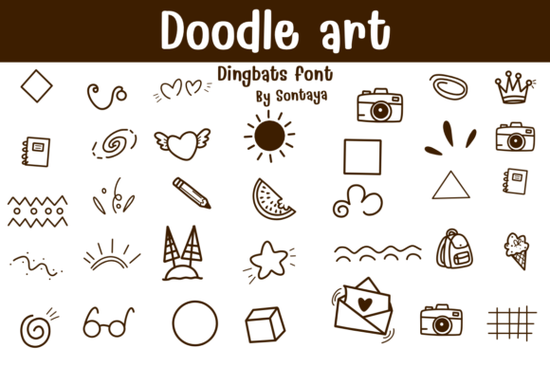
If you design stickers, coloring pages, or playful branding and need a font that feels hand‑sketched in pen, the Doodle Art Font might be exactly what you’re looking for. This file gives you a mix of doodle‑style alphabet letters and matching dingbat illustrations all in formats that work with Procreate, Affinity Designer, Affinity Photo, and any standard desktop layout app.
What exactly is a doodle art font and how does it work?
A doodle art font isn’t just a set of letters it’s a hybrid of a hand‑drawn alphabet and outline‑style dingbats. The alphabet characters look like they were sketched with a fine‑liner pen, while the bonus glyphs include borders, arrows, speech bubbles, flowers, and whimsical illustrations. You install the font like any other OTF or TTF file, then type letters or use a glyphs panel to drop in the graphic elements. Because everything stays vector‑based, you can resize shapes without losing sharpness huge for coloring outline projects and print‑on‑demand products.
Can I really use a doodle font in Procreate and Affinity apps?
Yes, and that’s where the flexibility shows up. Once you install the OTF or TTF on your iPad or desktop, it shows up in the font menu of Procreate, Affinity Designer, and Affinity Photo. In Procreate you can type a letter, rasterize the layer, and colour it with any brush perfect for hand‑drawn sticker sheets. In Affinity Designer, the native vector nature of the font stays intact, so you can convert type to editable curves and tweak each shape without quality loss. That’s especially handy when you want to build single‑colour SVG cut files or layered mandala designs.
What file formats do I get with a typical doodle dingbat download?
Most doodle art fonts on Creative Fabrica come in two universal formats:
- OTF (OpenType) – includes advanced features like ligatures and sometimes extended glyph sets, ideal for professional layout software and the latest Affinity apps.
- TTF (TrueType) – the format that works on practically any device, including older cutting machine software and basic word processors.
Some packs also deliver a separate Procreate‑optimized version or a coloring outline variant where the strokes are slightly lighter for print‑and‑colour sheets. Before you purchase, check the file list to confirm both OTF and TTF are included that’s one less headache if you switch between a Mac, an iPad, and a Windows laptop.
How do print‑on‑demand sellers and small businesses actually use these fonts?
In short: speed and consistency. A dingbat doodle cartoon font lets you avoid redrawing the same sketchy star, cloud, or coffee cup forty times. Here are a few real‑world uses:
- Sticker sets: Type out single dingbats, adjust spacing, and create a sheet of kiss‑cut stickers for Etsy or Shopify in half the usual time.
- Coloring pages: Use the outline letters and dingbats as the base for low‑content KDP books. Just convert text to curves, arrange the graphics, and export as a print‑ready PDF.
- Branding elements: A doodle‑style ampersand or a hand‑sketched divider pulled from the font can make a logo mark feel more personal without hiring an illustrator.
- Web and social media: Because these are vectors, you can open them in Affinity Designer, recolor for your palette, and export crisp PNG or SVG assets for Instagram stories.
Small businesses and crafters who sell physical goods also use hand‑drawn dingbat collections to mock up product packaging and to‑do list notepads that look like original art while keeping their production hours realistic.
Are doodle art fonts easy to colour and turn into outlines?
They’re built for it. Because the characters are drawn with a thin, even stroke, they work as natural “colouring book” templates. In any vector editor you can set the fill to transparent and apply a black stroke, then print the page for kids to colour with crayons. If you’re designing for digital colouring apps, export the outlines as a high‑resolution PNG with a transparent background, and leave the colour space open for users. The same approach applies to craft cutting: in Cricut Design Space or Silhouette Studio, the outline style prints beautifully and gives you a clean edge to cut around.
What should you check before downloading a doodle font bundle?
Not all doodle fonts are built equally. Keep an eye on:
- Glyph count: The best value bundles have at least 200‑plus glyphs, blending upper‑ and lowercase letters, numerals, punctuation, and a full set of dingbats. That’s what gives you the ability to design a complete spread without switching between five different fonts.
- Licensing: Look for a commercial‑use licence, especially if you plan to sell physical products or offer custom design services. Creative Fabrica’s standard licence covers most POD and small‑business uses, but always double‑check.
- Stroke consistency: Open a preview and see if every character has the same line weight. An inconsistent line can look messy when you scale up for a poster, even if the charm stays intact at sticker size.
- PUA encoding: A PUA‑encoded font lets you access all the extra doodle graphics from the character map on any device, even if your design software doesn’t have a fancy glyphs panel.
Taking a few minutes to spot‑check these details can save you hours of frustration later, especially when you’re on a tight client deadline.
Why do crafters keep coming back to sketch‑style and dingbat fonts?
The human touch matters. Even the best vector illustration can feel sterile, while a wobbly, hand‑drawn line carries warmth. Cartoon doodle and sketch fonts let you borrow that feeling without the shaky hand cramps. Crafters love them for scrapbook titles, canning labels, and party decor; digital designers reach for them when a brand needs a friendly, approachable voice. And because you can mix the alphabet with the matching dingbats, you get a consistent style from the headline down to the smallest decorative dot no need to match two different assets from separate shops.
In the end, a well‑made doodle font like this one gives you a ready‑made sketchbook look that you can apply in minutes, not hours. Before you commit, take these steps:
- Test a few characters in your design tool of choice using the preview tool on Creative Fabrica type a short phrase and a few dingbats to see how they feel together.
- Verify the download includes both OTF and TTF files so you’re covered on iPad, desktop, and craft cutting software.
- Check the glyph map to confirm the doodle graphics match the projects you usually make, whether that’s arrows for planners or food icons for menu designs.
- Pick a small project first maybe a single sticker sheet or a quick colouring page to get comfortable with the font’s personality before rolling it out across a full product line.
From there, you’ll likely find yourself browsing other doodle dingbat fonts to build a small library of sketch‑style assets that cover every occasion, from playful birthday cards to quiet, motivational wall art.
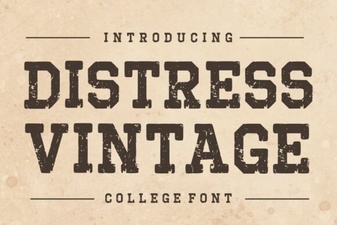 Distress Vintage Font: Creative Projects & Design Inspiration
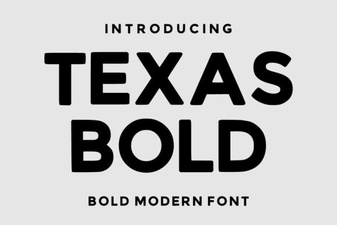 Texas Bold Font: Creative Uses and Design Inspiration
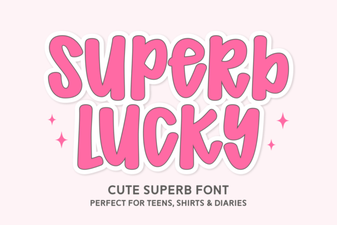 Superb Lucky Font: Fresh Design Inspirations & Ideas
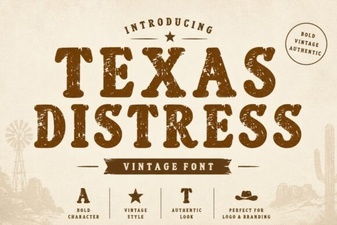 Texas Distress Font: Creative Vintage Design Ideas
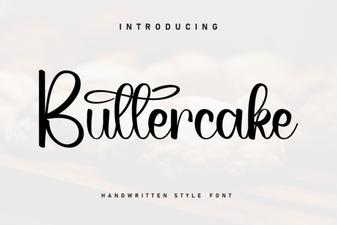 Buttercake Font: Fun Typography for Design Projects
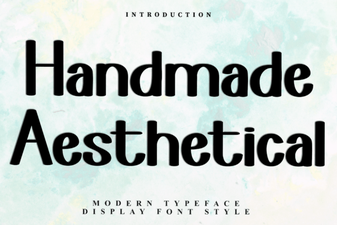 Unique Handmade Aesthetical Fonts for Creative Projects